• Hey Guest💡👉 We have just launched our new Dealer Directory and review service Find out more now

TMMR

Active Member
Nov 12, 2018
32
9
Hi!
Sorry if this has been covered earlier but I couldnt find anything like this.
The question is: my media system has a little bug that annoys me. The car was on his first service on saturday (30k km) and I told the guy if he could check this but he told
Me to wait for a software update to arrive and see if gets OK.
The thing is that some of the contours desapper sometimes ( sometimes when I start the car its ok and sometimes its not). Someonde had this issue? Any way to fix this?
Thanks!
 

Attachments

  • 96F47D02-9E87-489E-BAC2-61D02A0473FE.jpeg
    96F47D02-9E87-489E-BAC2-61D02A0473FE.jpeg
    2.2 MB · Views: 185
  • 4BB81D53-D31A-4E2E-BB60-4409FA09751A.jpeg
    4BB81D53-D31A-4E2E-BB60-4409FA09751A.jpeg
    2.1 MB · Views: 186
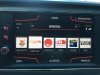
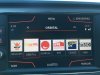
I can't see anything wrong, the only difference between the two photos is the time and the phone signal strength.
Lool at the two arrows to change the frequency. The contours are missing :/
 
Oh yes I missed that! Mine has the contours. I notice there is nothing in the top left corner, mine has 'BAND' in that position.
Yeah, i think i dont have DAB so dont have the button :)
 
The first picture is also missing the "dots" that tell you there are more options to the right... which might be why the contours are missing?

(Above Adjustes)
 
The first picture is also missing the "dots" that tell you there are more options to the right... which might be why the contours are missing?

(Above Adjustes)
Very well spoted.. it sounds like a sort of “screensaver” when it doesnt have the contours and I touch the screen the contours appear for a few seconds and telephone and time info disappear on those seconds
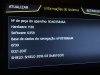
Heres a pic of the specs
 

Attachments

  • BFB1595D-D58A-455B-A632-A5F9551F3635.jpeg
    BFB1595D-D58A-455B-A632-A5F9551F3635.jpeg
    1.9 MB · Views: 110
I posted a pic on my previous post with that info
Its weird that im the only one experiencing this
Yes it is weird. Have you tried holding down the power button for about 30 seconds until the unit reboots? Or you could restore to factory settings, but it would mean having to set it all again.
 
Yes it is weird. Have you tried holding down the power button for about 30 seconds until the unit reboots? Or you could restore to factory settings, but it would mean having to set it all again.
If I reboot it gets fine. After some startups gets wrong again.
Since I have no updates avaiable i think im
Going to make a reset to factory and try again from zero .
Not seeing other solution. Just hoping to fix it
 
  • Like
Reactions: Walone
Ive seen at least one more person with this bug. While searching on youtube noticed that the screen was wrong like mine but no info about it

Edit: here is the link to the video
 
Last edited:
I think I discovered it!
A few minutes ago when stuck on traffic and seeing the setup menu I discovered a tick box for proximity sensor and i unticked. After that the display became ok so i tryed to tick again and the display became wrong again.
But from what ive read about proximity sensor shouldnt it change when im near the display? Ir does nothing until i touch it.
Im gonna try a few day with the sensor off and see :)
 
I think I discovered it!
A few minutes ago when stuck on traffic and seeing the setup menu I discovered a tick box for proximity sensor and i unticked. After that the display became ok so i tryed to tick again and the display became wrong again.
But from what ive read about proximity sensor shouldnt it change when im near the display? Ir does nothing until i touch it.
Im gonna try a few day with the sensor off and see :)
That is odd because the proximity sensor is not fitted on the 8 inch screen which you have in your car, did you upgrade the screen?