


This one has been slowly annoying me for two months. Updates couldn't be put through. Delete unused apps clear cache. Update go though. Here we go again several days later update to apps can'r be done due to lack of space....
Well I bought a new tablet with twice the memory A11 rather than the A9 that left me with the problem child. 60GB of storage. Well after doing all the internet things and some that were clearly wrong the problem app was Samsung Core Services app, it had expanded itself to 20GB in the data memory, You do settings, app, all and sort by size.
It's an AI tool that analyses images:
But not much about whether it was safe to clear the data and cache, it is. Took the plunge and hit clear data after hitting clear the cache. Sanity returned I could then update all the apps the Playstore had lined up, Seems to work fine after I wiped the data... all 20GB.
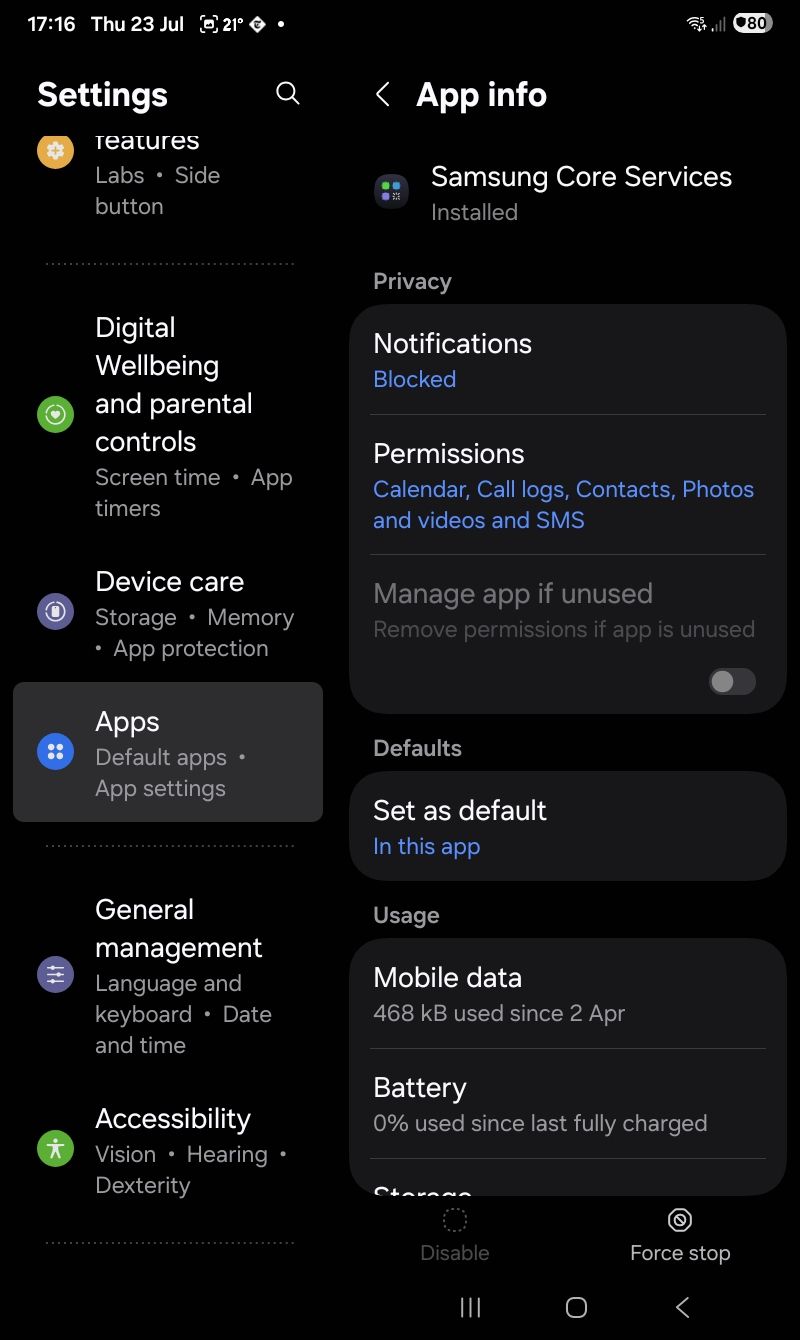
Then you go down to Storage and clear cache and data. Bob's then your uncle. Image after the clear process.
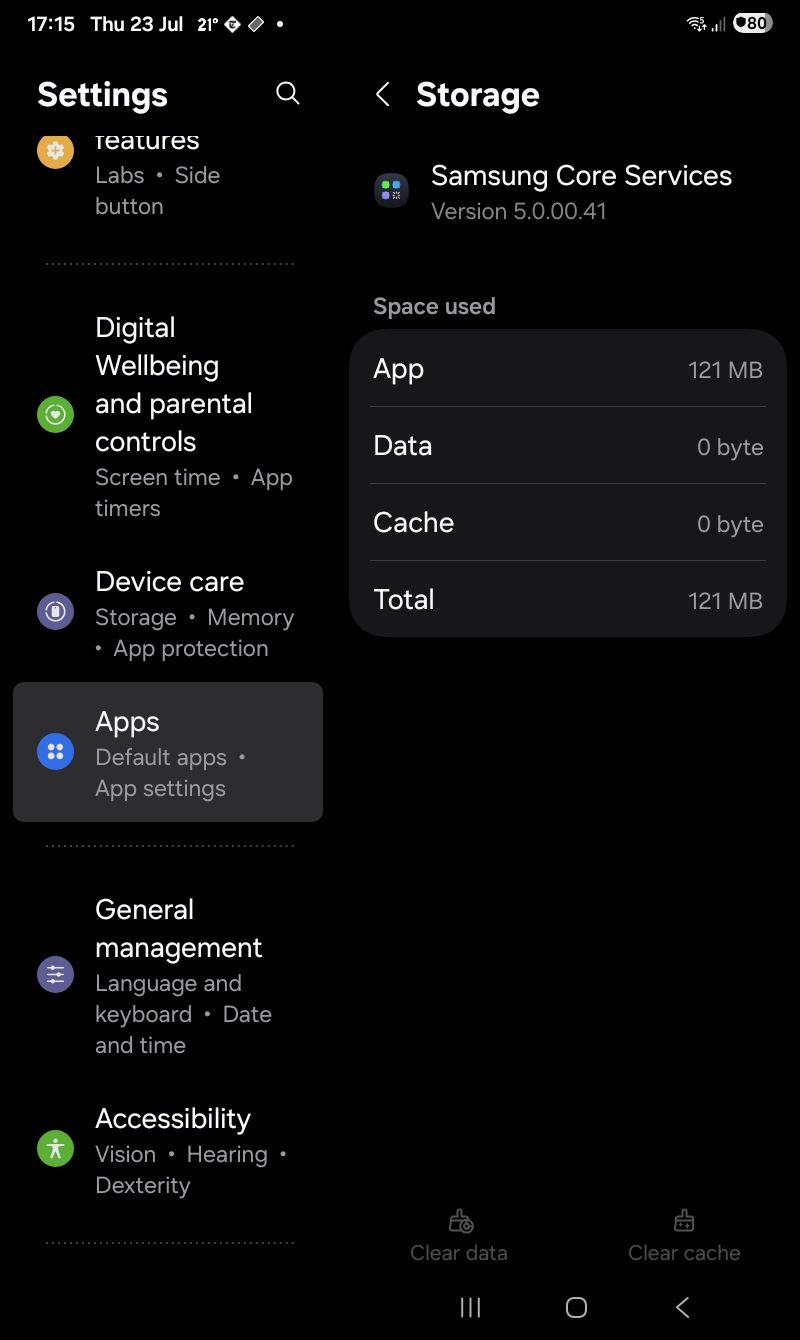
All behaving now. Something to look out for. The tablet is on Android 16 and obviously a Samsung utility they grafted onto the OS.
Well I bought a new tablet with twice the memory A11 rather than the A9 that left me with the problem child. 60GB of storage. Well after doing all the internet things and some that were clearly wrong the problem app was Samsung Core Services app, it had expanded itself to 20GB in the data memory, You do settings, app, all and sort by size.
It's an AI tool that analyses images:
But not much about whether it was safe to clear the data and cache, it is. Took the plunge and hit clear data after hitting clear the cache. Sanity returned I could then update all the apps the Playstore had lined up, Seems to work fine after I wiped the data... all 20GB.
Then you go down to Storage and clear cache and data. Bob's then your uncle. Image after the clear process.
All behaving now. Something to look out for. The tablet is on Android 16 and obviously a Samsung utility they grafted onto the OS.


