

-
Hey Guest👍👎 We're looking for reviews of your local CUPRA or SEAT Dealership - it's quick and easy to do: Leave a review now
Turn off the Radio
- Thread starter Happy Ant
- Start date
You are using an out of date browser. It may not display this or other websites correctly.
You should upgrade or use an alternative browser.
You should upgrade or use an alternative browser.


All this should have covered at handover of the vehicle, poor dealership performance.

^This.All this should have covered at handover of the vehicle, poor dealership performance.
When Mrs Seriously? bought her ST, she had a full walkround of the car and run through of most of the controls, especially the bits that were new to her, like the EHB and Autohold. The salesman even showed her how to pair her phone and set postcodes in the satnav.

Not really I just forgot as I was given so much information about the new systems and this is my first new car for over 12 years and at 72 getting a bit old to take all these new gizmos in after one consultationAll this should have covered at handover of the vehicle, poor dealership performance.
Yes I was given a complete walkround and a very comprehensive instructions, but there is so much that's new to me on this car that I obviously did not take it all in in one go^This.
When Mrs Seriously? bought her ST, she had a full walkround of the car and run through of most of the controls, especially the bits that were new to her, like the EHB and Autohold. The salesman even showed her how to pair her phone and set postcodes in the satnav.
Fair point - it's taken me ages to get a handle on all the tech in my new car and I have to say the owners manuals can be less than helpful at times.Yes I was given a complete walkround and a very comprehensive instructions, but there is so much that's new to me on this car that I obviously did not take it all in in one go
Plus the fact I've got the attention span of a hyperactive Labrador puppy.


One thing I really miss is information about the infotainment system.
the manual does not cover all system menus.
the manual does not cover all system menus.
Deleted member 123864
Guest
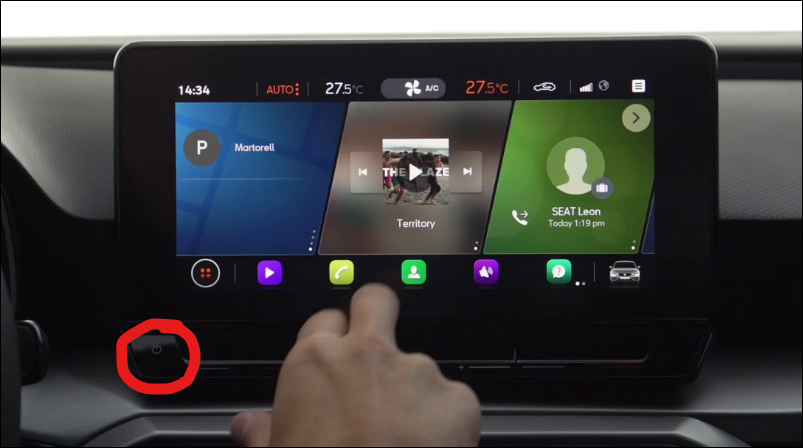
Have you tried pressing the power button?
Bottom left of the display
Bottom left of the display
Last edited by a moderator:
No button thereHave you tried pressing the power button?
Bottom left of the display
That just muted the volume does not turn the radio offOr press (not scroll) volume button on the steering wheel..
That only seems to mute the sound not turn the radio offKeep pressed the withe round power button for a few seconds, and it will power off the unit.
Enviado desde mi Redmi Note 9 Pro mediante Tapatalk
Are you confusing the infotainment system with a traditional radio perhaps? If so then the 'screen' cannot be turned off completely when the engine is running, to my knowledge, as it is the only way to assess and adjust most secondary vehicle functions.
I recall that there is a way to have it display a clock instead of the quick access panels but, like most this terribly designed interface, it's hard to use.
I recall that there is a way to have it display a clock instead of the quick access panels but, like most this terribly designed interface, it's hard to use.
Deleted member 123864
Guest
But all that does is turn off the infotainment system screen, but my digital cockpit still shows that the radio is tuned into a station and I want to turn of the actual radio function rather than just mute the sound. see picture enclosed it show the radio tuned into Big FMHold down the button for a second or two.
Attachments
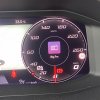
If you've used the radio directly before turning it off, it's not physically and actually possible to remove it from the screen. The only way to do so, is change the source of the audio e.g bluetooth, apple car play. Other wise it remains there (unless you then change the icon on the digital dash).But all that does is turn off the infotainment system screen, but my digital cockpit still shows that the radio is tuned into a station and I want to turn of the actual radio function rather than just mute the sound. see picture enclosed it show the radio tuned into Big FM
Probably your only option then is to set the media input to USB instead.But all that does is turn off the infotainment system screen, but my digital cockpit still shows that the radio is tuned into a station and I want to turn of the actual radio function rather than just mute the sound. see picture enclosed it show the radio tuned into Big FM
Similar threads

- Replies
- 27
- Views
- 1K


