

Hi Guys,
Im having issues connecting my phone to Android Auto in my 2021 Seat Leon FR. I just got the car on Monday, and I had it out with the dealership today, and they couldn't find anything wrong.
I have a OnePlus 13, and it keeps asking me to change the USB settings. I've tried that and multiple fixes from a phone perspective. Developer mode for both the USB and Android Auto app. Multiple cables etc., from the car, it's fully upto date according to the dealership. Reset the entertainment system cache and did a factory restore from the settings.
Ive tried multiple phones and it works with Google, Iphone and Samsung but not OnePlus, Redmi and Nothing.
Anyone come across anything similar? I had no issues with my previous leon
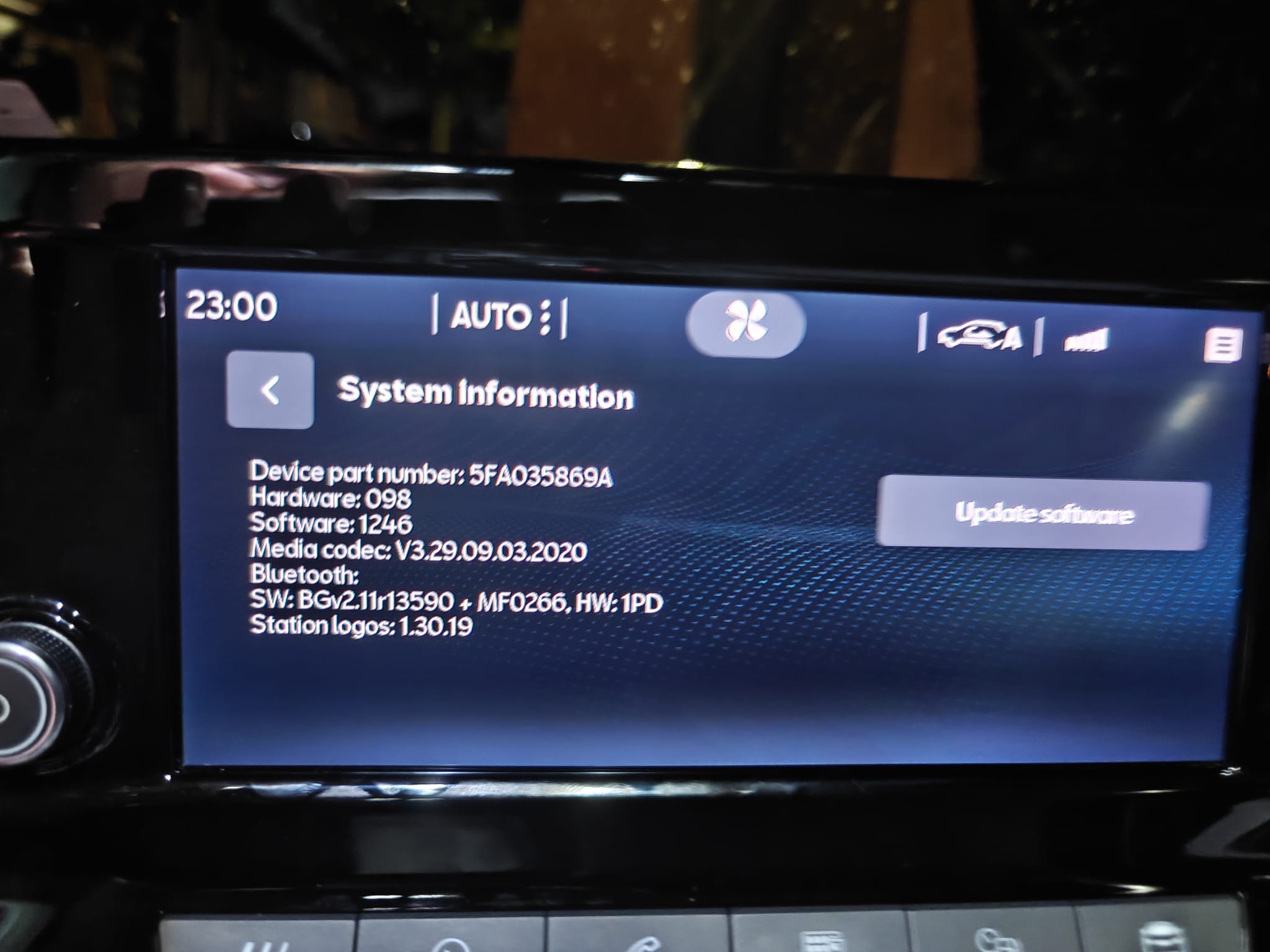
Im having issues connecting my phone to Android Auto in my 2021 Seat Leon FR. I just got the car on Monday, and I had it out with the dealership today, and they couldn't find anything wrong.
I have a OnePlus 13, and it keeps asking me to change the USB settings. I've tried that and multiple fixes from a phone perspective. Developer mode for both the USB and Android Auto app. Multiple cables etc., from the car, it's fully upto date according to the dealership. Reset the entertainment system cache and did a factory restore from the settings.
Ive tried multiple phones and it works with Google, Iphone and Samsung but not OnePlus, Redmi and Nothing.
Anyone come across anything similar? I had no issues with my previous leon


