What phone do you have?I tried to set mine up when I got it but gave up. A few weeks ago I got in the car and it connected wirelessly on its own.
I'm on Android 10
What does your Android auto look like?


What phone do you have?I tried to set mine up when I got it but gave up. A few weeks ago I got in the car and it connected wirelessly on its own.
I'm on Android 10

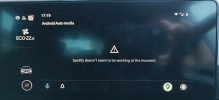
I've got a OnePlus 6T. I'll send a better pic later but I've attached the one that shows Spotify not working. Any clues on that. It's been the same for weeks, but did work initially.What phone do you have?
What does your Android auto look like?

Apologies, life caught up with me! Having looked at a few SE Dynamics in work, they seem to have the same display and wireless AA doesn't work either. It doesn't look as if it's limited by the unit/screen though and surely a software update could sort this.This is how my wired Android auto looksView attachment 22802

You need the infotainment unit with the build code zn2 which they don't sell in the UK. Available on German Seats. Part of my research when they brought out the connected units. You might find it on VW or Skoda in the UK. Haven't checked. Peruse the German Seat site.Apologies, life caught up with me! Having looked at a few SE Dynamics in work, they seem to have the same display and wireless AA doesn't work either. It doesn't look as if it's limited by the unit/screen though and surely a software update could sort this.
I was meaning in terms of the way the unit displays AA. The smaller versions shown look worse than it was on the mk3! Thankfully I have the better version.You need the infotainment unit with the build code zn2 which they don't sell in the UK. Available on German Seats. Part of my research when they brought out the connected units. You might find it on VW or Skoda in the UK. Haven't checked. Peruse the German Seat site.
Oh just Seat Leon 4 problems.... TomTom Amigo is suppose to be opened up to Android Auto... havent tried it via Android Auto but have the app loaded up in Android. It's free. Let you guys see whether the navigation press tallies with Amigo software being able to be used with Android Auto. Google have opened it up to other mapping providers.I was meaning in terms of the way the unit displays AA. The smaller versions shown look worse than it was on the mk3! Thankfully I have the better version.

 www.seat-leon.de
The developers menu is in the Android auto app to enable wireless on non Samsung/Google phones running Android 9 or 10I think you need the build codes of those two infotainment units, the one with the D on it may be the zn2 unit that got fitted for whatever reason.... might be a backdoor thing.
Anyhow post 64 on here seems interesting on the German thread
Android Auto - wireless funktioniert im eHybrid
Du brauchst dich garnicht mit dem Hotspot verbinden das macht er automatisch
Turning on the developers menu... much talk of Android Auto wireless working on some models on there. Leave to you people with the Leon 4?.
The developers menu is in the Android auto app to enable wireless on non Samsung/Google phones running Android 9 or 10
Just read through it and what I can tell models from week 48/20(MY2021) have wireless AA, as well as Alexa, and send directions in the app
It seems all of the wireless AA head units also had the part number ending in D
They also talked about the software number increasing with every update those with 17xx, but it didn't happen on 1664 (what mine is)
 . Don't reckon the UK is unique it will be all on hardware and software part numbers which they go on about. The zn1 and zn2 build codes are the legitimate ones which dont have it and have it respectively (UK are all zn1 even the Cupras least from the launch material). Other methods are fixes which is how I belíeve some get it to work off a hot stop off their phone. Talked about on this forum and the German one.
 I believe my car was built 38/20, part no. 5FA035862B, hardware H56, software v.1664. Wireless AA not functional.Need people on the continent with the more flash units to check their part numbers and software releases. With legitimate units that supported wireless AA what were the part numbers and software releases.

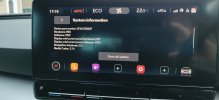
Device number: 5FA035862DIt might be different for UK spec cars.
It seems to be luck if there's wireless AA or not.
What's your device part number?
In the system information menu
Also are you able to remotely lock/unlock from the app?
Your best of starting a new thread.Need help please
When i update the new version of software i lost the wifiView attachment 23973
( wifi is activated but does not detect anything)so how i can do to fix it please thanksView attachment 23972

I have done this without any resultYour best of starting a new thread.
Try holding the power button for 10+ seconds until you see the seat logo.
This reboots the system and should be the first thing you do with any technical issues on modern computers