You will find on the VW site you will need a valid VW Vin, they changed things to control access a while ago. After saying that a group of folk sniff out the most recent maps which are always ahead of those posted up on Vag site. I put these on the Leon 3 and Leon 4 sides. You get duplication across the board if they get posted all over the place although I do put pointers up.
The very latest mib3 maps are here:
I'm reporting! Ignition on, door open and you're done. It updated after 30 minutes, but I'll leave the pendrive working. This is not a topic about Navi. Update 1988 arrived, I installed it via OTA. I checked the list in
service mode, except for 2 modules, all are Y. My question is, is this...

www.seatcupra.net
Instructions of
how to do it are in the pdfs on post 1. Take the links from the latest and use the pdfs for guidance.
There are a few traps you can fall into where you put the USB in and nothing happens. Similar to the mib2 high (Seat Plus) the files are signature protected so they dont take too kindly to the Mac operating system which put addition characters in the down load. That defeats the signature check but you wont be told that. Just does nothing. You use CleanMydrive utility on Macs to dust off these characters. PCs are fine although it is a good idea to use the latest copy of 7zip.
7zip is the Vag approved unzipping program. The built in file manager of Windows 11 will unzip these files but is slower. Unzip and copy to the USB. For mib3 it needs to be in exFat which is how the USBs are sold. NTFS or whatever will work but again slower.
Don't use an SSD some people have in the past. They plug an SSD into the USB socket. Its sniffy about the size of the drive. You just have only the map update on that USB and people like USB that contain activity lights. If you see the activity light flashing. USB A to see adaptors may not be fully wired for the digital data. It's happened. Another trap. If you only have USB A on you laptop / PC a reversible usb with A and C is useful.
The procedure for kicking off the map update is in the PDFs. How long does it take is a mute point. 40 minutes or so. Vag tell you to leave it in. Stop / starts when you turn the ignition off have a roll back position so if you make short drives this can sum to longer.
You read the mm.yy or is yy.mm whatever I said, before you start the update. Take a picture. Start the update. Once you think its finished go back to that screen. Take another photo. It should have changed.
The yy.mm whatever is the actual seriel release. After asking for a kind soul to provide information on
how to read that from the file without doing the updated someone stepped forward and told me. Details in that thread. I will look later to see what the VW site is showing since I do have a VW vin associated. Its how those that publish these files check for which is the newer one. The guy that gave us the information we now use. Indeed a poster on here after I put some changed files up and they said nothing new... I hadn't checked. MartiniB of the Skoda board is the chief librarian so as to speak that we send anything new to if it appears elsewhere. Those are his links which he maintains. I repost them on the SeatCupra site.
Answer you first question. No it will do nothing if they are the wrong files. There were some early issues with mib3 firmware which didn't allow map updates. Back to 2020/21 or so. People have been known to get stuck on a map release and find they cant update from it. They fiddle with the firmware and then it gets unblocked. A couple of cases of that on the Skoda board. They dont loose the functionality of having no maps but cant update. Firmware related.
I will do the trick of reading the file details from the VW site just to see whether they better what we have later. But I doubt it. Will post that up later.




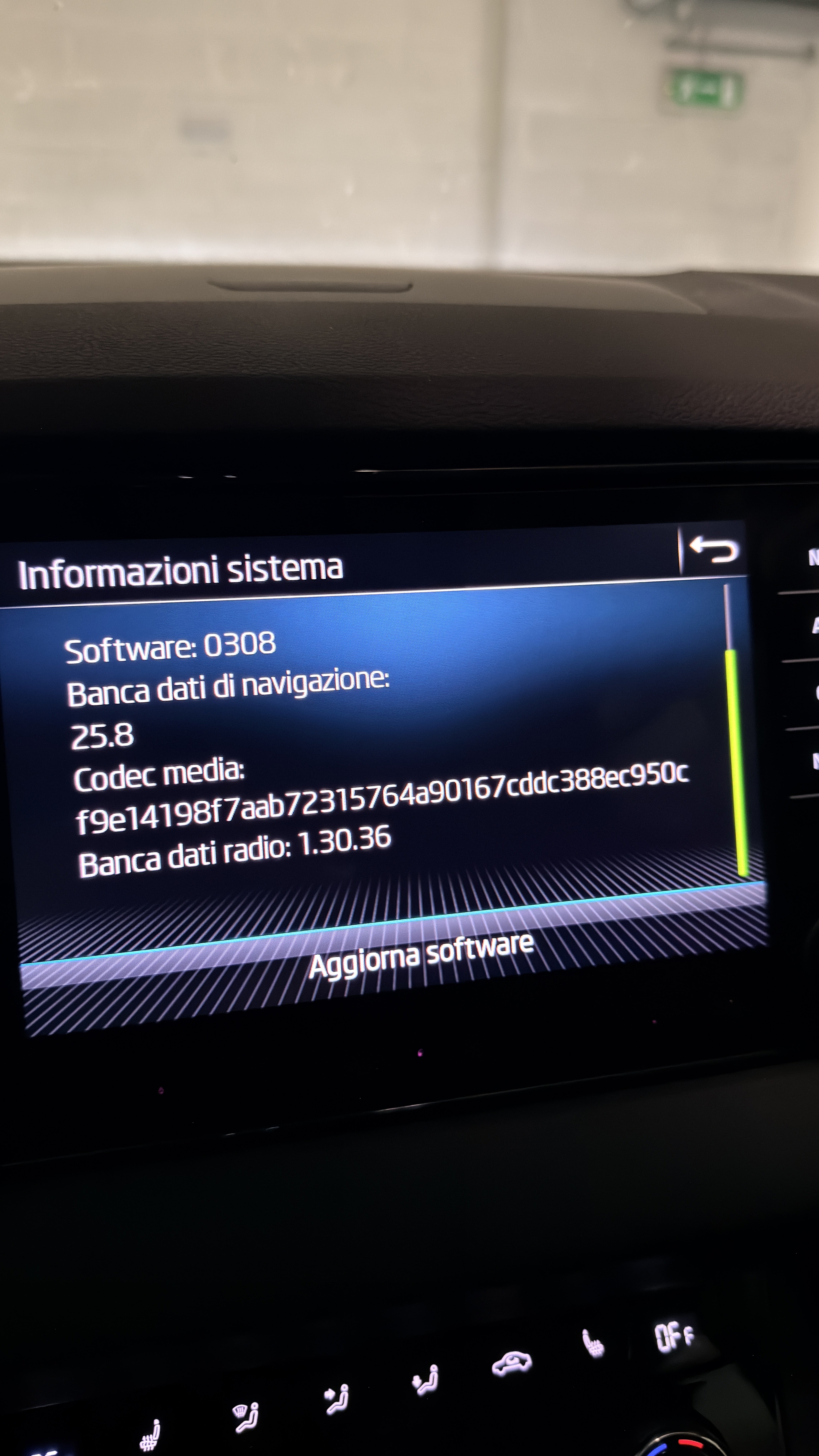

 . That was probably MartiniBs fix for his stuck map update as well.