• Hey Guest💡👉 We have recently launched our new Dealer Directory and review service Find out more now
I'm reporting! Ignition on, door open and you're done. It updated after 30 minutes, but I'll leave the pendrive working.
This is not a topic about Navi. Update 1988 arrived, I installed it via OTA. I checked the list in service mode, except for 2 modules, all are Y. My question is, is this normal? Thanks for the Navi help, it's finally up to date!
 
  • Like
Reactions: brabus84 and Tell
For satnav/map offline update from pendrive just plug in USB stick, turn on the engine and take it for a spin for 30-60 minutes. You'll make sure that you won't drain battery and kill your infotainment
Did like that twice and works perfectly, you don't have to waste your time and drive just only for the sake of update - the update takes place in the background so you can just do that during normal day drive.
 
  • Like
Reactions: folpac
Or edge it on if you get impatient as I explain. Jury is a bit out at the minute on when completion occurs. Those with LEDs on their USBs see activity still going on after the map appears to update by the YY.MM on the screen which means the job isnt done when that first appears. Given the connect services structure of the map is designed to update in parts as you travel requesting an update or your strike a route on the destination to force the connect services update, you may just be getting the update for your zone, like South of England say. Wait a bit longer and you get the whole lot.

The Briskoda people, least some of them take the view you should just leave it in and some take out connect service contract since they don't want to leave it in. That is likely to be an extreme. I suspect you just leave it in for a bit longer where the USB LED people have the upper hand since they can see when its done. Its on the SeatCupra site where LED USBs are liked for this or Briskoda.

I'm just reporting what I've read by you good people. Post 1 on here has the PDFs of the brands and the ambiguity of how long you leave it in. Blissfully I have mib2 high and mib2 standard. I'd buy a LED based USB if I had mib3 was doing this. You format to exFat for speed.
 
Mib3 navigation off line file release has started to show up for June 2025 reference 2025.02 - thanks to MartiniB... so far:


# ECE 2025.02

VW portal: - -

Škoda portal: https://infotainment-cdn.skoda-auto.com/base/maps/OI_P153_EU_202525_Offline-Update.zip

(2025.06)

# Asia 4.2Gb
VW portal: - -

Škoda portal: https://infotainment-cdn.skoda-auto.com/base/maps/OI_P146_MRM_ASIA_202525_Offline_Update.zip


# Australia 1.8 Gb
VW portal: - -

Škoda portal: https://infotainment-cdn.skoda-auto.com/base/maps/OI_P146_MRM_AUS_202525_Offline_Update.zip


# Chile 501 Mb
VW portal: - -

Škoda portal: https://infotainment-cdn.skoda-auto.com/base/maps/OI_P146_MRM_CHILE_202525_Offline_Update.zip


# India 7.8 Gb
VW portal: - -

Škoda portal: https://infotainment-cdn.skoda-auto.com/base/maps/OI_P146_MRM_INDIA_202525_Offline_Update.zip


# Israel 245 Mb
VW portal: - -

Škoda portal: https://infotainment-cdn.skoda-auto.com/base/maps/OI_P146_MRM_ISR_202525_Offline_Update.zip


# North Africa 1.5 Gb
VW portal: - -

Škoda portal: https://infotainment-cdn.skoda-auto.com/base/maps/OI_P146_MRM_NA_202525_Offline_Update.zip


# Turkey 20.6 Gb

VW portal: - -

Škoda portal: https://infotainment-cdn.skoda-auto.com/base/maps/OI_P146_MRM_TUR_202525_Offline_Update.zip


# Gulf Region 2.8 Gb
VW portal: - -

Škoda portal: https://infotainment-cdn.skoda-auto.com/base/maps/OI_P146_MRM_AGCC_202525_Offline_Update.zip


# South Africa
VW portal: - -

Škoda portal: - -


# South America 8.1 Gb
VW portal: - -

Škoda portal: https://infotainment-cdn.skoda-auto.com/base/maps/OI_P146_MRM_SAM_202525_Offline_Update.zip


======= coverage =======

# Gulf Region
Bahrain, Jordan, Kazakhstan, Kuwait, Lebanon, Oman, Qatar, Russia, Saudi Arabia, United Arab Emirates


# South Africa
Botswana, Lesotho, Mozambique, Namibia, Reunion, South Africa, Swaziland, Zimbabwe


# South America
Argentina, Bahamas, Brazil, Colombia, Costa Rica, French Guiana, Guadeloupe, Martinique,
Mexico, Panama, Paraguay, Peru, Puerto Rico, Uruguay, Venezuela


If you happen to live in one of those areas that's your update. These files can be used across Seat, Cupra, Škoda and VW. Because it says Škoda link doesn't mean it only works on Skoda's.

BTW I've decided with this thread I'll do it like the Mib2 navigation thread and put the latest release at the end so previous releases can be seen. Suspect it won't be long till the missing regions get filled in.
The all European one has been update but still contains the same 25.06 release period so quess it's a fix.

Link


Thanks to Briskoda poster.

We shouldn't see anything new for offline updates till November. Post 1 on here gives the PDFs of how to install the file.
 
The list is revised all thanks to MartiniB - some additional links:

# ECE 2025.05 28.6 Gb

VW portal: - -

version":{"major":1167879,"minor":25030,"build":0},...,"catalog_version":28 251E0

Škoda portal: https://infotainment-cdn.skoda-auto.com/base/maps/OI_P153_EU_202525_Offline-Update.zip

Files inside: 2025.05.22

Downloadable: 2025.07.02

Published: 2025.07.0?


# ECE 2025.06b 28.7 Gb

version":{"major":1167880,"minor":25030,"build":0},...,"catalog_version":32 251E0

SK_forum.NL https://updateportalmaps.blob.core.windows.net/maps/OI_P154_EU_202534_Offline_Update.zip

Files inside: 2025.08.06

Downloadable: 2025.09.05

Published: 2025.09.06 (https://www.skodaforum.nl/forum/i/ece-2025-26-navigatie-update.52016/)


< edit 2025.09.28 >

red ECE failed load in to Mib3 Amundsen of Škoda Superb Mk3.FL 2023

green succesed, thanks to @wolfr4ge

< edit OFF >


# ROW 2025.06


# Asia
4.2Gb
VW portal: - -

Škoda portal: https://updateportalmaps.blob.core.windows.net/maps/OI_P154_ASIA_202540_Offline-Update.zip


# Australia 1.8 Gb
VW portal: - -

Škoda portal: https://updateportalmaps.blob.core.windows.net/maps/OI_P154_AUS_202540_Offline-Update.zip


# Chile 501 Mb
VW portal: - -

Škoda portal: https://updateportalmaps.blob.core.windows.net/maps/OI_P154_CHILE_202540_Offline-Update.zip


# India 7.8 Gb
VW portal: - -

Škoda portal: https://updateportalmaps.blob.core.windows.net/maps/OI_P154_INDIA_202540_Offline-Update.zip


# Israel 245 Mb
VW portal: - -

Škoda portal: https://updateportalmaps.blob.core.windows.net/maps/OI_P154_ISR_202540_Offline-Update.zip


# North Africa 1.5 Gb
VW portal: - -

Škoda portal: https://updateportalmaps.blob.core.windows.net/maps/OI_P154_NA_202540_Offline-Update.zip


# Turkey 20.6 Gb

VW portal: - -

Škoda portal: https://updateportalmaps.blob.core.windows.net/maps/OI_P154_TUR_202540_Offline-Update.zip


# Gulf Region 2 Gb
VW portal: - -

Škoda portal: https://updateportalmaps.blob.core.windows.net/maps/OI_P154_MRM4_AGCC_SA_202540_Offline-Update.zip


# South Africa
VW portal: - -

Škoda portal: - -


# South America 8.1 Gb
VW portal: - -

Škoda portal: https://infotainment-cdn.skoda-auto.com/base/maps/OI_P146_MRM_SAM_202525_Offline_Update.zip

42 Mb

Škoda portal: https://updateportalmaps.blob.core.windows.net/maps/OI_P154_SA_MRM3_202540_Offline-Update.zip


======= coverage =======

# Gulf Region
Bahrain, Jordan, Kazakhstan, Kuwait, Lebanon, Oman, Qatar, Russia, Saudi Arabia, United Arab Emirates


# South Africa
Botswana, Lesotho, Mozambique, Namibia, Reunion, South Africa, Swaziland, Zimbabwe


# South America
Argentina, Bahamas, Brazil, Colombia, Costa Rica, French Guiana, Guadeloupe, Martinique,
Mexico, Panama, Paraguay, Peru, Puerto Rico, Uruguay, Venezuela
 
  • Like
Reactions: djmartzian
Hello @Tell,

The files inside the Skoda OI_P154 archive are from 2025.06, the same date as Skoda OI_P153 archive.

Probably this is the reason the update didn't succeeded for some of us (I'm afraid I can't remember on which community I saw a message/complain).

Is this intentionally OR a another issue? Are you aware of such discrepancy?

Thank you
SK_OI_P154.JPG
 
Yes you have to read off that number. Rather hoping that MartiniB had published them with the yyyy mm code as he has been doing. That's the check that you cant better what you already have. As far as the "November" release is concerned that wont have 2025 11 in it but a date early. You might have it since Skoda have had some of these files earlier. What has happened is additional RoW files were found and the P release went up. Hence I updated the links.

Pass on what the red menu is talking about for Skodas... this bit :

< edit 2025.09.28 >

red ECE failed load in to Mib3 Amundsen of Škoda Superb Mk3.FL 2023

green succesed, thanks to @wolfr4ge

< edit OFF >

I know MartiniB had his unit stuck not being able to update for a year or so whilst others had. Private message I got from him. One of those Mib3 mysteries.

The issue with these updates is users messing up file presentation, you cant better the release you have expressed as yyyy.dd, vag messing up zip compression (happens), some firmware issues that dont take the map update (early release of the firmware), the one on Skoda where they go backwards on map releases to get it to go forward... you'll see that on MartiniBs thread. (will edit)

Ok the key posts is this @wolfr4ge fix. Whether it applies to anyone here. Pass.


Life might be too short for mib3 😉. That was probably MartiniBs fix for his stuck map update as well.
 
Last edited:
  • Like
Reactions: djmartzian
not supported in my region only way via usb
Well the unofficial site where hobbyists collect VAG firmware is this


Or one of the sites. Replaced mibsolution.one but like that site its just a collection of files you navigate around with some prior knowledge of knowing what you are doing. What works with what. So if someone says you need such and such you look there. All is at your own risk why Vag do not like users updating their own firmware and reqard it as a workshop only thing.

Then the other site is this


This is a type of AI type of thing. You enter your firmware trains as per the example that you read off the screen and it will tell you what is available. That worked with mibsolution.one but you should be able to then use the replacement site to find what it's indexing.

But as said this is a map file thread not a firmware thread and you really need to find a VW forum that knows about these files, that is familiar with what you can update on the firmware side. But in the meantime you can look at those two sites. Mib helper should point you in the right direction whilst the first link may find what you want. But it's all at your own risk as always with updating firmware. You need a copy of your existing firmware ideally which should be in the library and the target one assuming you can revert back. You photograph the screens before you embark on it. You need a plan of who you are going to turn to if it goes wrong. A retrofitter.
 
Last edited:
You will find on the VW site you will need a valid VW Vin, they changed things to control access a while ago. After saying that a group of folk sniff out the most recent maps which are always ahead of those posted up on Vag site. I put these on the Leon 3 and Leon 4 sides. You get duplication across the board if they get posted all over the place although I do put pointers up.

The very latest mib3 maps are here:


Instructions of how to do it are in the pdfs on post 1. Take the links from the latest and use the pdfs for guidance.

There are a few traps you can fall into where you put the USB in and nothing happens. Similar to the mib2 high (Seat Plus) the files are signature protected so they dont take too kindly to the Mac operating system which put addition characters in the down load. That defeats the signature check but you wont be told that. Just does nothing. You use CleanMydrive utility on Macs to dust off these characters. PCs are fine although it is a good idea to use the latest copy of 7zip.

7zip is the Vag approved unzipping program. The built in file manager of Windows 11 will unzip these files but is slower. Unzip and copy to the USB. For mib3 it needs to be in exFat which is how the USBs are sold. NTFS or whatever will work but again slower.

Don't use an SSD some people have in the past. They plug an SSD into the USB socket. Its sniffy about the size of the drive. You just have only the map update on that USB and people like USB that contain activity lights. If you see the activity light flashing. USB A to see adaptors may not be fully wired for the digital data. It's happened. Another trap. If you only have USB A on you laptop / PC a reversible usb with A and C is useful.

The procedure for kicking off the map update is in the PDFs. How long does it take is a mute point. 40 minutes or so. Vag tell you to leave it in. Stop / starts when you turn the ignition off have a roll back position so if you make short drives this can sum to longer.

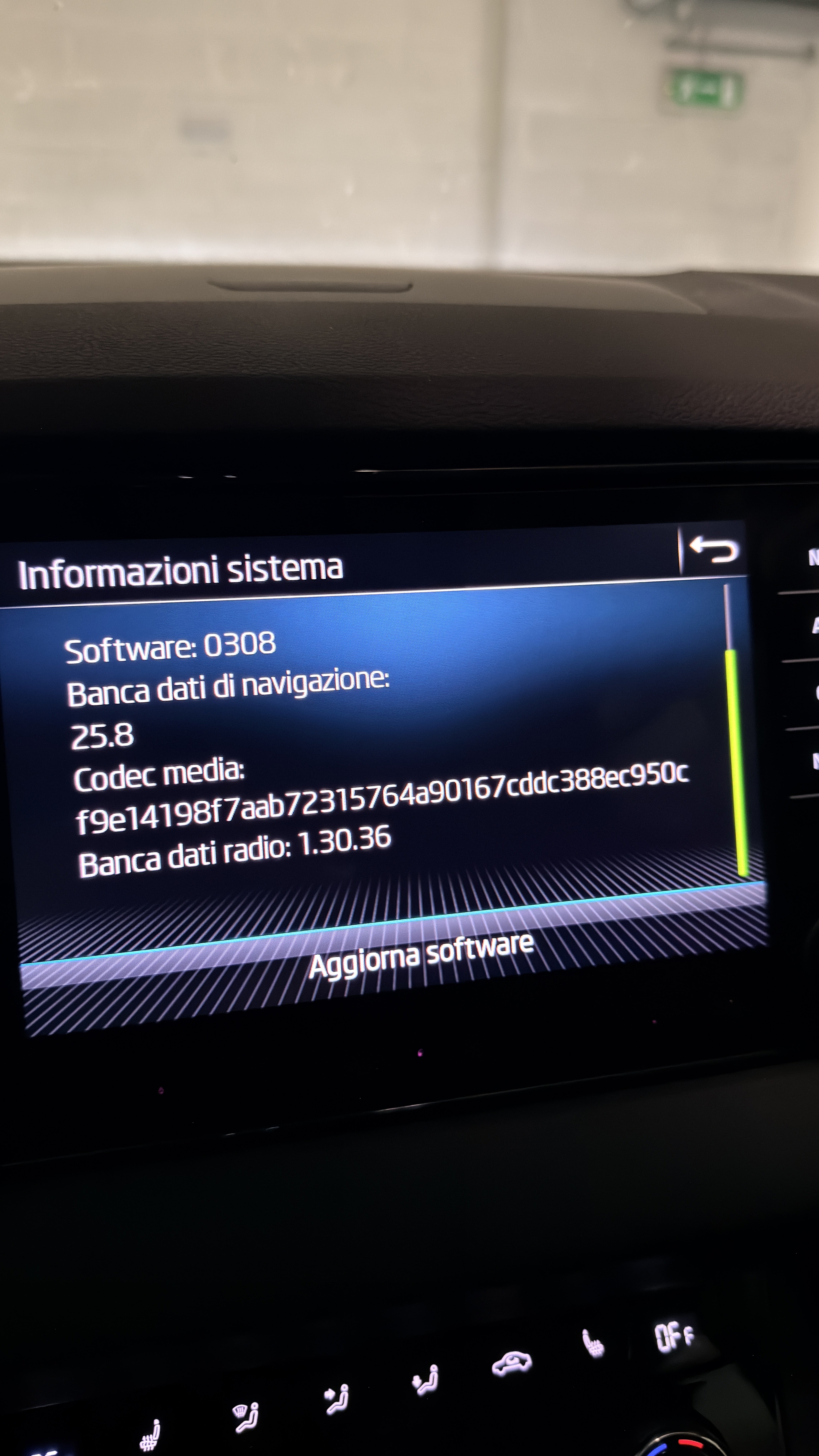
You read the mm.yy or is yy.mm whatever I said, before you start the update. Take a picture. Start the update. Once you think its finished go back to that screen. Take another photo. It should have changed.

The yy.mm whatever is the actual seriel release. After asking for a kind soul to provide information on how to read that from the file without doing the updated someone stepped forward and told me. Details in that thread. I will look later to see what the VW site is showing since I do have a VW vin associated. Its how those that publish these files check for which is the newer one. The guy that gave us the information we now use. Indeed a poster on here after I put some changed files up and they said nothing new... I hadn't checked. MartiniB of the Skoda board is the chief librarian so as to speak that we send anything new to if it appears elsewhere. Those are his links which he maintains. I repost them on the SeatCupra site.

Answer you first question. No it will do nothing if they are the wrong files. There were some early issues with mib3 firmware which didn't allow map updates. Back to 2020/21 or so. People have been known to get stuck on a map release and find they cant update from it. They fiddle with the firmware and then it gets unblocked. A couple of cases of that on the Skoda board. They dont loose the functionality of having no maps but cant update. Firmware related.

I will do the trick of reading the file details from the VW site just to see whether they better what we have later. But I doubt it. Will post that up later.

 
OK downloaded the VW one it's very old. Use the ones shown in:


The VW ones are 2024.6 as opposed to 2025.6 which is the Skoda file.

How to do this check if into relational databases is here:


I used the inbuilt file manager to unpack rather than 7zip. Might be better. Horses for courses. But either way the VW file is old.

So VW file as you linked:

1769170430248.png