how can i check do my car supports rear view camera?

my sw and hw units:

Device part number: 6F0 035 871 D
SW Train Version: MEN2_EU_SEGPx_P0060L
Installed MU version: 0998


Part number: 6F0 035 871 D
Hardware version: 720
Software version: 0998
Bluetooth version: C250
Did you buy any camera and did it work?
Hopefully you managed to find a one that works😊
 
decided not to risk bricking HU, also didnt found confirmation that rear view is supported on small, 6 inch HU
 
I have the radio part number 6f0035871b

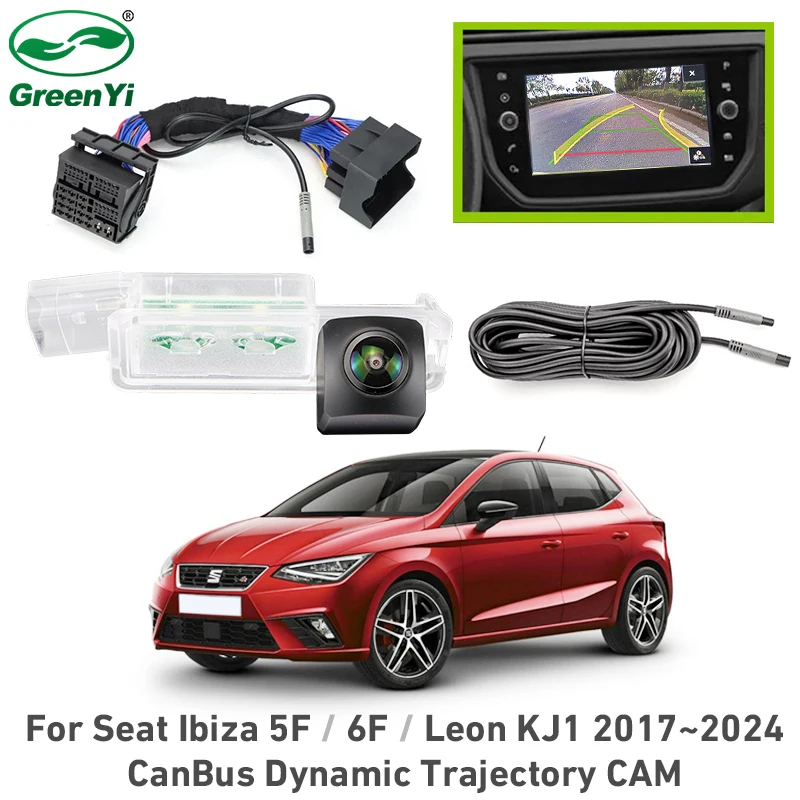
Has anyone fitted a reverse camera to this? Did you have to get an additional control module / unit to enable video input for this head unit?

Any help with what I need and everything to consider for the job would be greatly appreciated.

Thanks
1775131668064.png
 
Hello, I have a 2022 Ibiza FR and I installed a reverse camera but as it was a cheap one from china it drained my battery and I had to remove it.

I now have an issue where the parking sensors do not come on the screen while in reverse and scanning with an obd11 shows the camera has no signal- yet all parts are removed.

Has anyone else had this issue/ know how to fix it ? Any help would be greatly appreciated
 
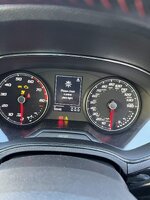
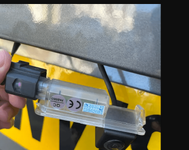
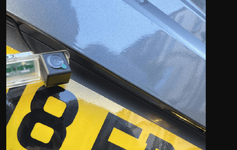
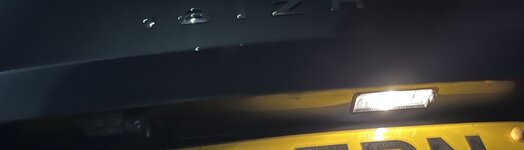
I attached this sinosmart license plate cam from aliexpress and got the camera working but I don't see the light working and I'm getting a number plate light error on dashboard? Wondering if anyone else has had this issue or knows how to fix?
 

Attachments

  • IMG_0494.jpg
    IMG_0494.jpg
    520.2 KB · Views: 25
  • Screenshot 2026-04-21 205542.png
    Screenshot 2026-04-21 205542.png
    171.4 KB · Views: 33
  • Screenshot 2026-04-21 100755.png
    Screenshot 2026-04-21 100755.png
    177.2 KB · Views: 29
I attached this sinosmart license plate cam from aliexpress and got the camera working but I don't see the light working and I'm getting a number plate light error on dashboard? Wondering if anyone else has had this issue or knows how to fix?
Hello, there is three options for you :

1. Unscrew the camera from the plug, drill a hole on the center of your bumper make the cable go here and glue/screw your camera and for the light, put back the old one.
2. Plug back the old light on the initial connexion and hide the light on your bumper and put your camera licence plate cam as intended : no error but no light
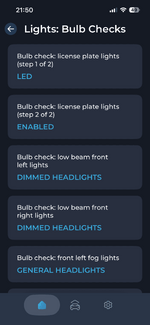
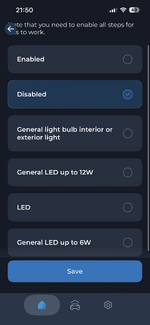
3.With some coding tool like carscanner and an obd dongle you will be able to code a 5v led light instead of an 12v 5w halogen bulb and the light will work with no errors.
 
  • Like
Reactions: abeeed
Hello, there is three options for you :

1. Unscrew the camera from the plug, drill a hole on the center of your bumper make the cable go here and glue/screw your camera and for the light, put back the old one.
2. Plug back the old light on the initial connexion and hide the light on your bumper and put your camera licence plate cam as intended : no error but no light
3.With some coding tool like carscanner and an obd dongle you will be able to code a 5v led light instead of an 12v 5w halogen bulb and the light will work with no errors.
Perfect thanks, I've just ordered a Carista and going to see if I can use that to code the LED light in.
 
I attached this sinosmart license plate cam from aliexpress and got the camera working but I don't see the light working and I'm getting a number plate light error on dashboard? Wondering if anyone else has had this issue or knows how to fix?
IMG_0505.jpeg


Still can’t get it to work unfortunately. Tried changing it to the LED ones in carista.
 

Attachments

  • IMG_0506.jpeg
    IMG_0506.jpeg
    110.2 KB · Views: 20
  • IMG_0504.png
    IMG_0504.png
    74.8 KB · Views: 19
  • IMG_0503.png
    IMG_0503.png
    57.3 KB · Views: 19