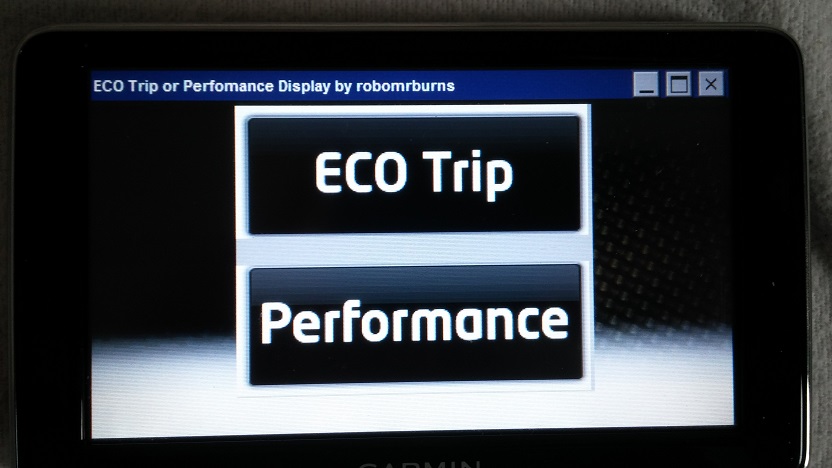
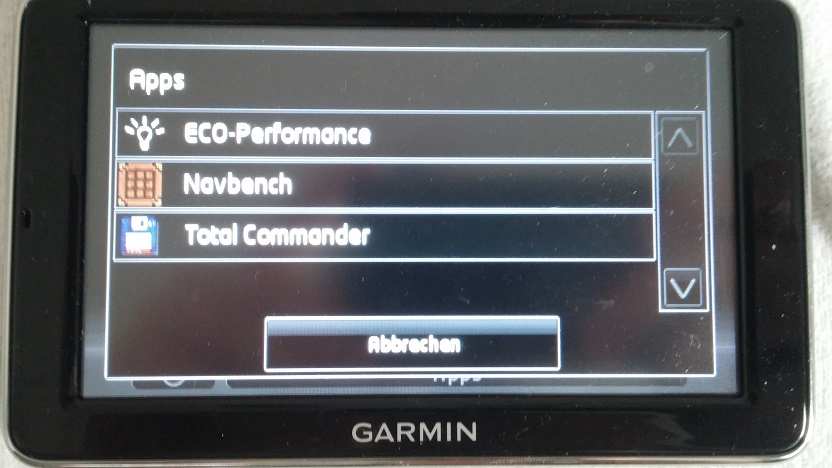
I wanted to follow up here in case anyone finds themselves in the same situation as I was where for a long time where I was not able to properly code the Garmin unit to my own car. Having bought the car 2nd hand it came without the Garmin. I had to buy the Garmin separately, again obviously 2nd hand as it's so old now and off eBay. I had to do this so I could use the eco trainer app on the Garmin which would not work because it was trying to read data from another car with incompatible data read outs and from a different car, being used in a different car than originally registered to etc.
I won't take the credit for this, it's a combination of advice from here and someone from
YouTube who I emailed and also a bit of
help from Google Gemini! It did take the extra step from Gemini to make it work which I haven't seen published before, hence I am sharing 'the full fix' to get these damned units to pair properly!
I will copy and paste an edited version of the final email I sent to the guy who was helping me by email.
Hi again,
Just to update you again, I think I might have solved it!
I did 3 things to solve the issue;
Step 1
In the folder VwBrandDevice\Settings\ edit UserSettingsDevMode.default. Use notepad to edit the UserSettingsDevMode.default to contain
<?xml version='1.0' encoding='iso-8859-1'?>

<Settings>

    <Active>1</Active>

</Settings>
Save the file as UserSettingsDevMode.default NOT UserSettingsDevMode.default.txt. Remove any .txt extensions! This puts the unit into the mode to search for a new car.
Step 2
The empty text branddevice.reg at the root of the drive
Create a new empty txt file with notepad. Name it branddevice.reg NOT branddevice.reg.txt. This file clears out previous data and makes the unit factory reset essentially and you need to pair your phone again and run through the device set up again.
Step 3
[this is completely quoted from my Gemini transcript
The "Device.xml" Complete Cleansing
If changing the initialization file doesn't stop the lock, the device is likely referencing its factory-stamped identity file. You can force the unit to generate a completely blank slate.
1. Connect the Garmin to your computer and find the main **`\Navigon\`** folder.
2. Inside, look for a file called **`Device.xml`**.
3. Open it and look for the metadata blocks. You will likely see a string indicating the original VIN, production date, or a hardware string belonging to the previous owner's car.
4. **The Fix:** Delete the `Device.xml` file entirely from the device (make sure you keep a copy of it on your computer desktop first as a fallback!).
5. Disconnect the Garmin and take it out to your car.
6. With the car's ignition completely switched **off**, slot the unit firmly into the dashboard cradle.
7. Turn the key to position 2.
Because `Device.xml` is missing, the Garmin's boot-loader is forced to run a hard scan of the electrical pins on your specific dashboard mount. It will generate a brand-new `Device.xml` file from scratch, pulling the exact data parameters straight out of your
Ibiza. Because the new file is native to your car, the Eco Trainer lock should vanish.
End of Gemini transcript]
Fairly explanatory if you follow the text, but basically this is what I believe made the difference for me and it forces the Garmin unit to make a new XML file which has the data from your specific car. This is how it knows if it's paired to your car!
What I did here was simply rename my device.xml to device.xml.bak as a backup. The Garmin unit rebuilt the xml file as described above.
I performed all 3 steps at the same time before connecting it to my car. I took my laptop out to the car again, plugged the Garmin on to its cradle and removed the usb at the same time as turning the key in the ignition to get the lights on the dashboard on but the engine off.
Interestingly the Garmin unit didn't give me the option to choose either VW / Skoda / Seat / Automatic it actually detected car and it's profile correctly although I did have to confirm it's a Seat. It detected the correct car. I suspect it's because it was connected to a different model at some point the Garmin unit was trying to read the wrong data and cleaning the device.xml made it read the correct values.
Sorry this is quite lengthy, I thought you might find it interesting and I wanted to thank you for putting me on the right path and with the
help of Google Gemini it seems I was able to solve it!
All the best and kind regards
Sent from my Pixel 10 Pro XL using Tapatalk
View attachment 54436