Mib2 standard navigation release 2027. Version 2710
Eagle eyes via the Briskoda board have spotted the next map file release. Normal form will prevail the workaround to get these on a Seat.
New MST2 maps, 2027, 2710, V24:
EU V1:
https://navigation-maps.volkswagen.com/vw-maps/Update_25_26/DiscoverMedia2_EU1_2710_V24.7z
EU V2:
https://navigation-maps.volkswagen.com/vw-maps/Update_25_26/DiscoverMedia2_EU2_2710_V24.7z
EU V3:
https://navigation-maps.volkswagen.com/vw-maps/Update_25_26/DiscoverMedia2_EU3_2710_V24.7z
EU V4:
https://navigation-maps.volkswagen.com/vw-maps/Update_25_26/DiscoverMedia2_EU-DL1_2710_V24.7z
EU V5:
https://navigation-maps.volkswagen.com/vw-maps/Update_25_26/DiscoverMedia2_EU-DL2_2710_V24.7z
EU V6:
https://navigation-maps.volkswagen.com/vw-maps/Update_25_26/DiscoverMedia2_EU-DL3_2710_V24.7z
EU V7:
https://navigation-maps.volkswagen.com/vw-maps/Update_25_26/DiscoverMedia2_EU-DL4_2710_V24.7z
EU Complete:
https://navigation-maps.volkswagen.com/vw-maps/Update_25_26/DiscoverMedia2_EU-AS_2710_V24.7z
Thanks to Viper.
Xmas keeps coming early

.
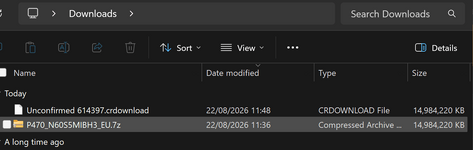
Note subsequently it was identified that the Edge browser stumbles on .7z files from user reports proceed as follows:
Summary on these VW 7zip downloads:
Firefox - no issue
Chrome - no issue
Edge - you need to edit the extention to 7z once download is "completed" its in the download directory
‐-----
Do strictly follow the instructions if you have never done a mib2 standard map update on a Seat before. Instructions.... see below.
======= coverage =======
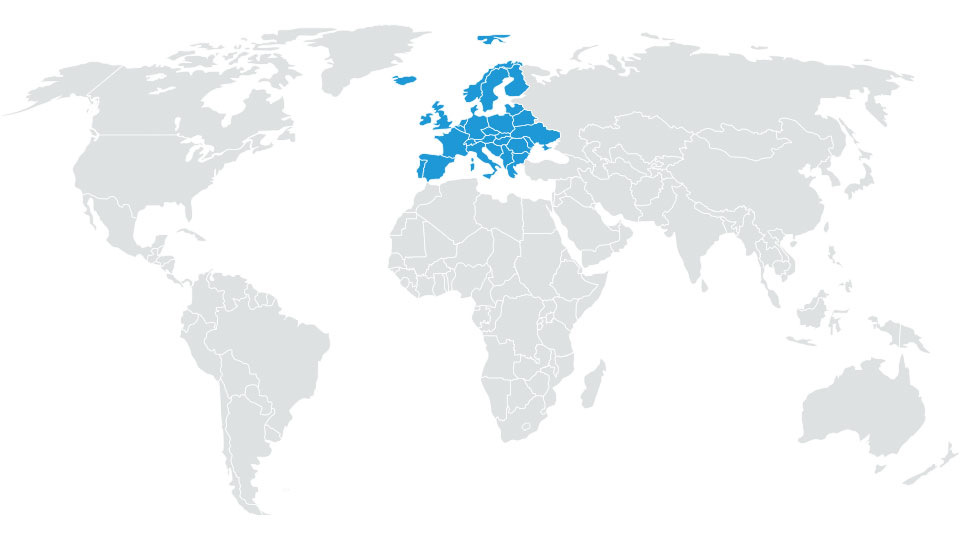
# ECE AS(A1) (All Europe)
Albania, Andorra, Austria, Belarus, Belgium, Bosnia and Herzegovina, Bulgaria, Croatia, Czech Republic, Cyprus, Denmark, Estonia, Finland, France, Faroe Islands, Germany, Gibraltar, Greece, Hungary, Iceland, Ireland, Ireland, Italy, Kosovo, Latvia, Liechtenstein, Lithuania, Luxembourg, Macedonia, Malta, Moldova, Monaco, Montenegro, Netherlands, Norway, Poland, Portugal, Romania, San Marino, Serbia, Slovakia, Slovenia, Spain, Sweden, Switzerland, Ukraine, United Kingdom, Vatican City State
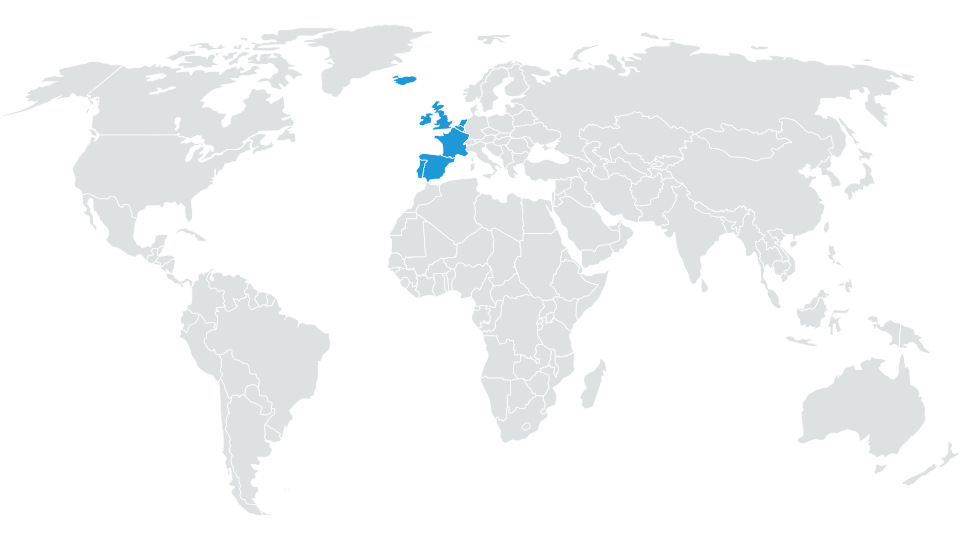
 # ECE 1
Andorra, Belgium, Faroe Islands, France, Gibraltar, Iceland, Ireland, Ireland, Luxembourg, Monaco, Netherlands, Portugal, Spain, United Kingdom
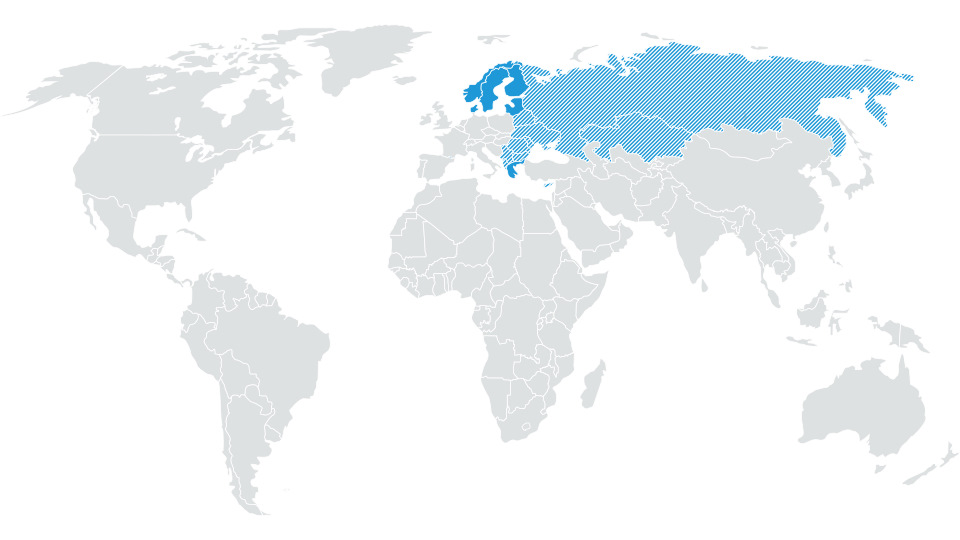
 # ECE 2
Albania, Belarus, Bosnia and Herzegovina, Bulgaria, Cyprus, Denmark, Estonia, Finland, Greece, Kazakhstan, Kosovo, Latvia, Lithuania, Macedonia, Moldova, Montenegro, Norway, Romania, Russian Federation, Serbia, Sweden, Ukraine
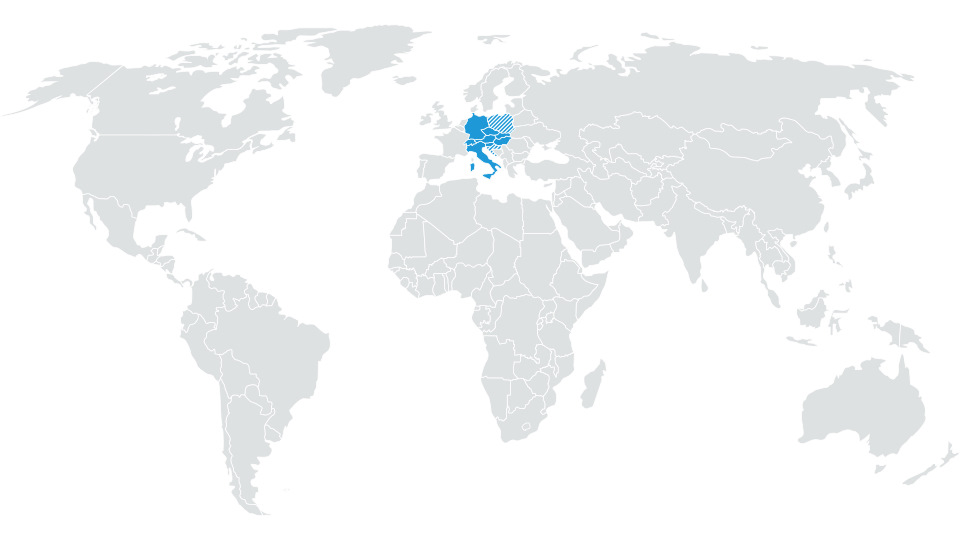
 # ECE 3
Austria, Croatia, Czech Republic, Germany, Hungary, Italy, Liechtenstein, Malta, Poland, San Marino, Slovakia, Slovenia, Switzerland, Vatican City State
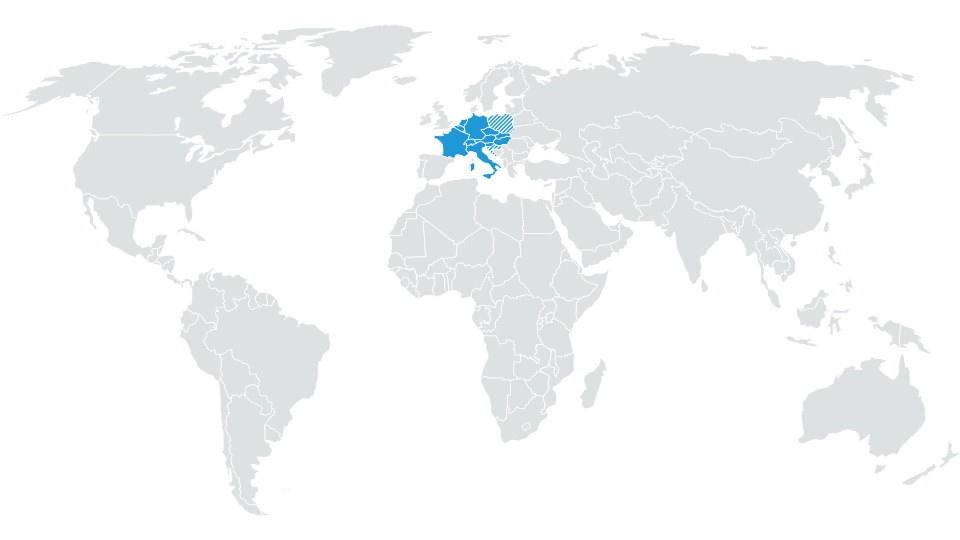
 # ECE 4
Andorra, Austria, Belgium, Croatia, Czech Republic, France, Germany, Hungary, Italy, Liechtenstein, Luxembourg, Malta, Monaco, Netherlands, Poland, San Marino, Slovakia, Slovenia, Switzerland, Vatican City State
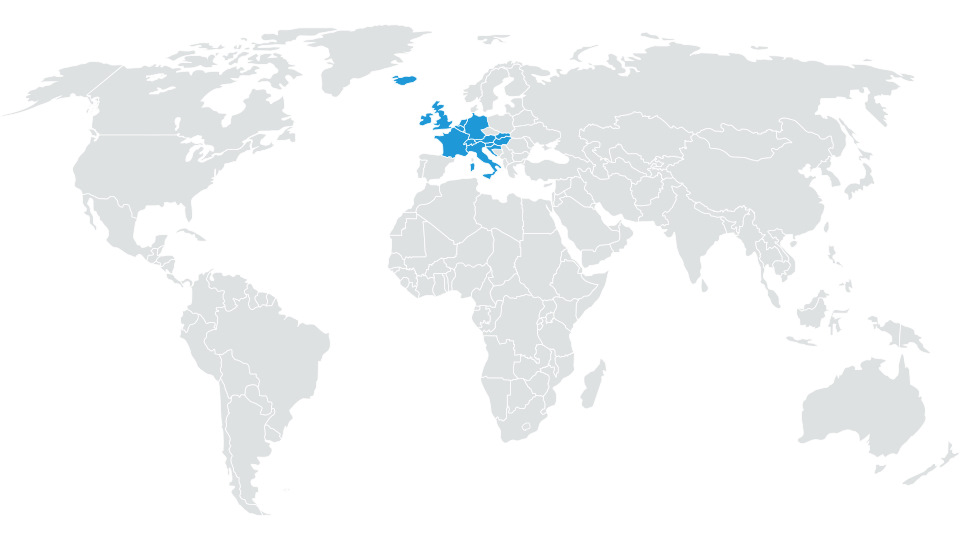
 # ECE 5
Andorra, Austria, Belgium, Croatia, Czech Republic, Faroe Islands (land-use only), France, Germany, Hungary, Iceland, Ireland, Italy, Liechtenstein, Luxembourg, Malta, Monaco, Netherlands, Poland, San Marino, Slovakia, Slovenia, Switzerland, United Kingdom (incl. Isle of Man), Vatican City State
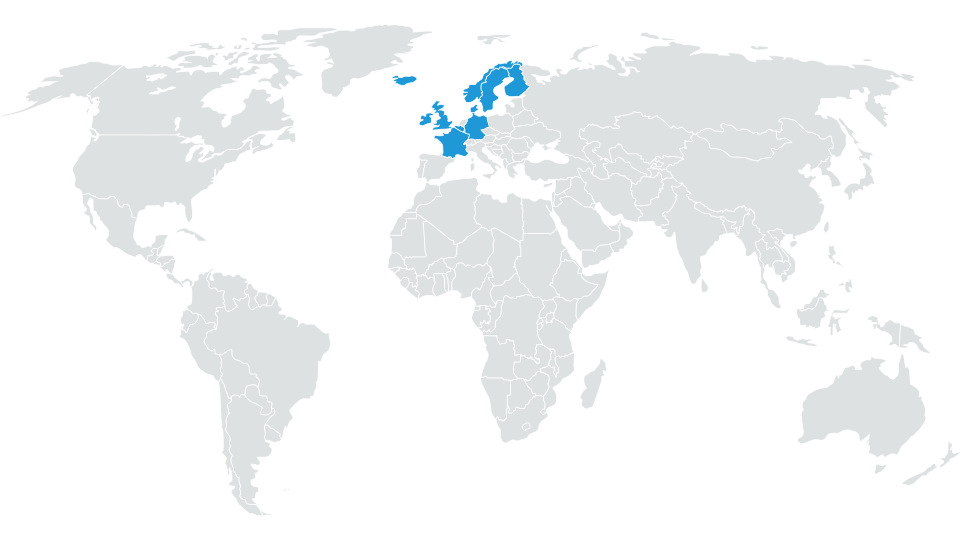
 # ECE 6
Andorra, Belgium, Denmark, Faroe Islands (land-use only), Finland, France, Germany, Iceland, Ireland, Luxembourg, Monaco, Netherlands, Norway, Sweden, United Kingdom (incl. Isle of Man)
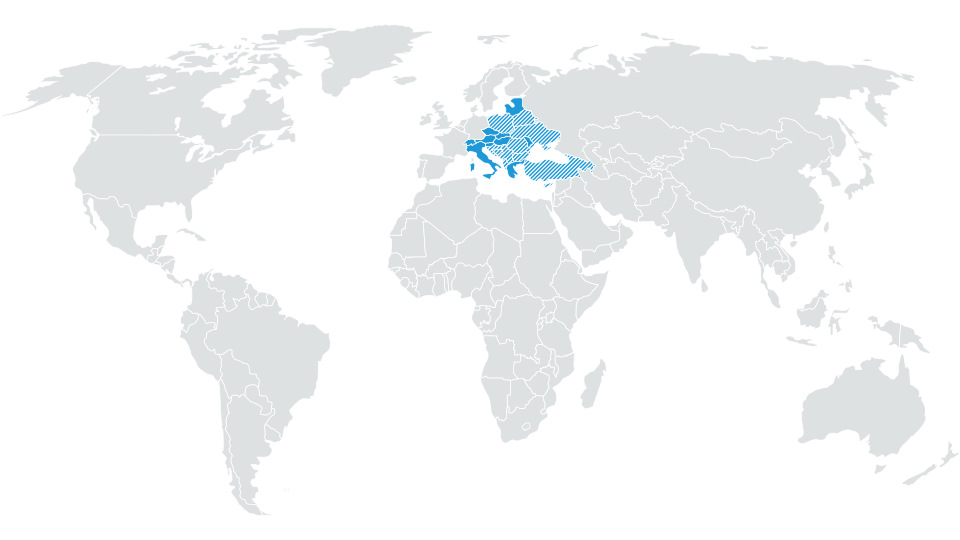
 # ECE 7
Albania, Austria, Belarus, Bosnia and Herzegovina, Bulgaria, Croatia, Cyprus, Czech Republic, Estonia, Greece, Hungary, Italy, Kosovo, Latvia, Lithuania, Liechtenstein, Macedonia, F.Y.R.O., Malta, Moldova, Montenegro, Poland, Romania, San Marino, Serbia, Slovakia, Slovenia, Switzerland, Turkey, Ukraine, Vatican City State
ROW is yet to be released but for completeness:
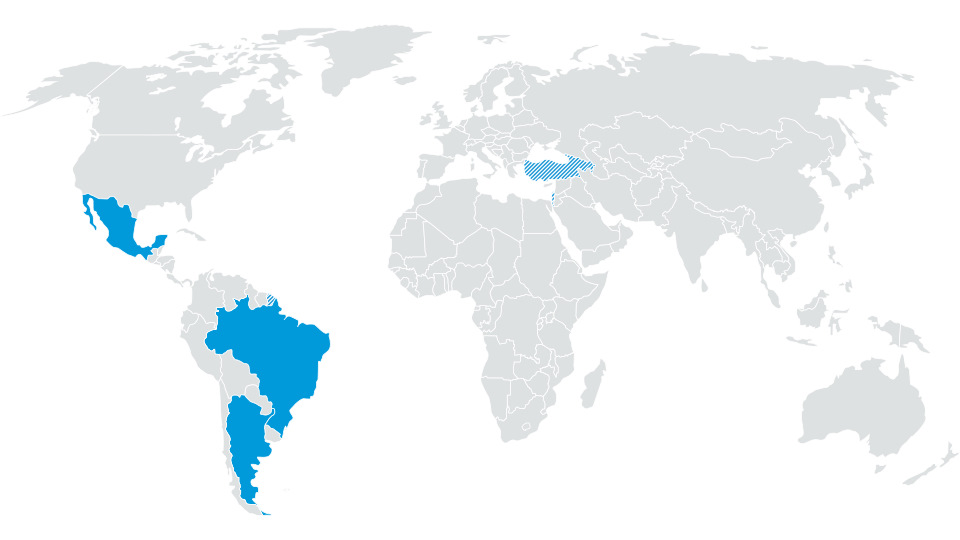
# ROW 1
Israel, Argentina, Brazil, Fr. Guyana *, Guadeloupe *, Martinique *, Mexico, Turkey *
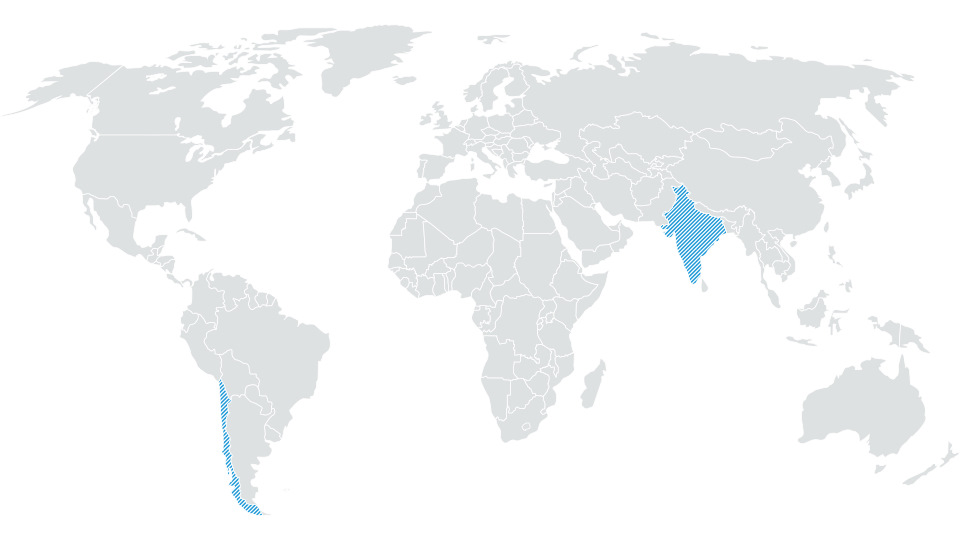
 # ROW 2
India *, Chile *
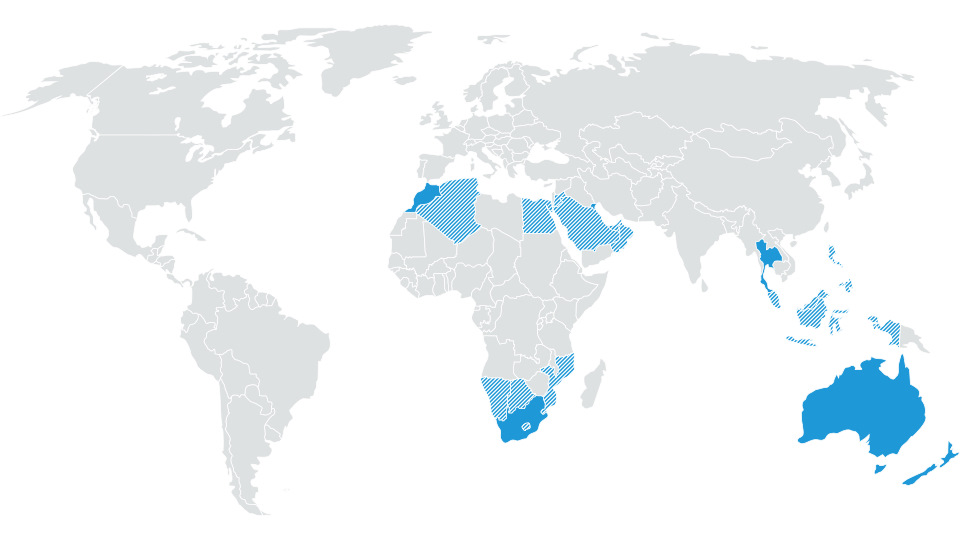
 # ROW 3
Australia, New Zealand, Botswana *, Lesotho *, Mozambique *, Namibia *, South Africa, Swaziland *; Reunion *, Brunei, Indonesia *, Malaysia *, Philippines *, Singapore, Thailand, Egypt *, Algeria *, Bahrain *, Jordan *, Qatar *, Kuwait, Morocco, Oman *, Saudi Arbien *, Tunisia, United Arab Emirates *
 # MRM DL1
Argentina, Brazil, Mexico, French Guiana, Guadeloupe, Martinique
# MRM DL2
Israel, Turkey
----------
The all important workaround is here
Workaround
Using a PC or a MAC ?
PC: 7 Zip is the preferred VW tool, other unzip tool including those built into Windows, can cause difficulties.
7 zip can be obtained from
https://www.7-zip.org/download.html
MAC: VW instructions
"
ATTENTION
If the map update is performed using the Apple® OS X operating system you may find that
Discover Media does not recognise the map material or displays it incorrectly. This is due to
a lack of compatibility between the “7 zip” program and the OS-X operating system. In
addition, the OS-X operating system has a tendency to create hidden additional files on
external data media. We therefore recommend that OS X users use the “Keka” unzipping
program. We also recommend using the “CleanMyDrive” program to remove any hidden files."
If a MAC is used CleanMyDrive is run against the SD card after the maps are copied across to the SD card.
Having identified which unzipping tool is required and special Mac SD card cleaning required... free to proceed.
Steps:
- Download the latest standard MIB2 maps
- on the infotainment go to settings, safely remove, sd1 card
- remove sd1 card from glove box slot
- long press on the on / off to reboot it a couple of times
- insert sd card in to computer
- copy and paste all contents to a directory on your computer
- Delete the contents of the SD card, (don't forget to push the card lock mechanism to off) (ditto in a MAC) (don't do a reformat of the card)
- Copy the new downloaded map version to the SD card (after unzipping it)
- Replace /maps/EEC/EEC_WLD/OVERALL.NDS on the SD CARD with the one from the original SD card
- eject the sd card (on a MAC run CleanMyDrive on the SD card - then eject), click to lock
- Inserted the card into the card 1 slot in glove box whilst infotainment is off
- power on and go to navigation
The unit should then boot up into navigation. Note it does take a little longer first time round. If it refuses to boot up, press the volume button forcing a reboot, hold down until the unit reboots. If this fails it will be issues on the overall.nds file / copy issues. Revisit the process. Failing this restore the back up.
You will also need to pick up any POIs that you show on the screen since these will be dropped after a map update. Petrol stations, parking location etc.
Do not format the card in anything other than Fat32. The unit runs QNX so will not correctly see the SD card if it is not in Fat32 / cluster size gets tinkered with in a reformat. The CID is not deleted in a format that is outside of the area that can be addressed but reformatting has been known to corrupt the card.
---
If you do lose the NDF file then it's in the
resource of
how to sort it out. Read that under lost and stolen section:
This resource is applicable to all Seat navigation systems plus other Vag brands which are MIB2 / 2.5. It is built from the knowledge base on the Leon forum from a long running thread which has the advantage of tracking the twists and turns over...

www.seatcupra.net
It's this file attached is the fix all
I had the same problem when I updated my maps last Sunday, had to use a new 32gb card (which I already had), 2 of my old 32gb cards did not have enough space. I checked them for errors but non found. Probably bad sectors: https://www.stellarinfo.com/blog/repair-sd-card-with-bad-sectors/ The...
www.seatcupra.net
---
Success screen. June 2026:
How to dig yourself out of a hole if you ignore the instructions for Seat is in that link. See also the resource for further details.
This resource is applicable to all Seat navigation systems plus other Vag brands which are MIB2 / 2.5. It is built from the knowledge base on the Leon forum from a long running thread which has the advantage of tracking the twists and turns over...
www.seatcupra.net




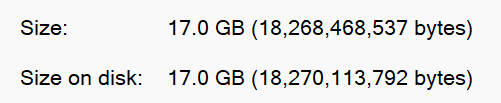
 . Completes and doesn't stick.


