

-
Hey Guest👍👎 We're looking for reviews of your local CUPRA or SEAT Dealership - it's quick and easy to do: Leave a review now
Full Link activation after software update
- Thread starter Nir Jacob
- Start date
You are using an out of date browser. It may not display this or other websites correctly.
You should upgrade or use an alternative browser.
You should upgrade or use an alternative browser.


I didn’t had the chance yesterday evening anymore to try it. Just did, but unfortunately without any luck. Still haven’t tried to update it to 80t yetDid it work ?.
You mean to update? I tried with all the files installed on the sd card, but I can’t push the start button like you can with the toolbox installation.Normaly you can force now in the Service Menü unser SWDL
I'm going to try it. I'll keep you updated.In the SWDL Menü you have To Change IT manuell from No To Yes
I can’t select the “software download manual download” button. Only the “start download” button works. After selecting this option I can choose the source “SD-card” but after this I can’t do anything. I can see all files, though.In the SWDL Menü you have To Change IT manuell from No To Yes
Nevermind, I found it and I am updating right now!I Look myself and Share a Video
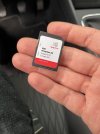
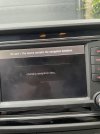
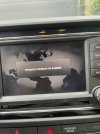
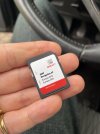
That was years ago. Everything worked until yesterday.You have done Retrofit?
Why you dont say that?
Everything works, expect the navi… plus I didn’t do a firmware update before now. Only installed the toolbox. Which is ****. I just tried a firmware update in the hope my navigation would work again.When you have done a Firmware Update, a Lot of Funktion are locked in your Case. Because mib2 in mib1 Car
Similar threads


- Replies
- 17
- Views
- 5K

